 ScreenFloat for Mac Release Notes
Improved
Improvements
- Searching in the Shots Browser has become better. For instance, searching for “design 25” will find a shot titled “Design Proposal 25”, as well as “2025 Design Template”, in addition to the exact phrase ( 🖼 )
- Shots in the Shots Browser's Trash can now be floated not only by double-clicking, but also from the toolbar or by pressing return/enter on the keyboard, just like outside the Trash
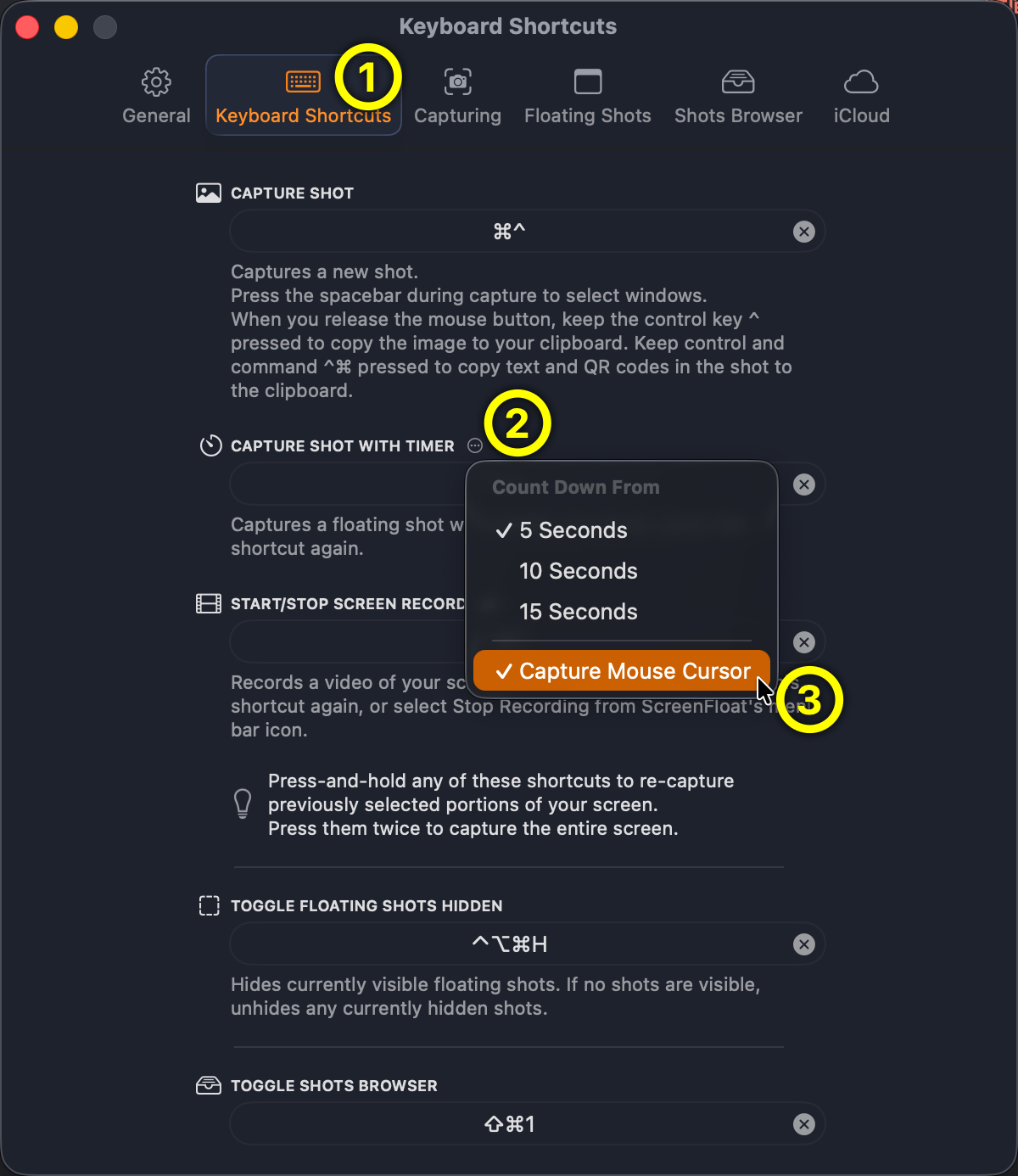
- You can now change whether or not your mouse cursor should be captured in timed shots ( 🖼 )
- The Copy double-click action now also copies a file in the desired format instead of data, since data is converted internally by the clipboard into tiff and png, thus overwriting the actually desired format
- ScreenFloat now shows an alert when it detects that there is no space for its item in the menu bar
- You can now drag and drop images and text into the shot markup editor (in addition to copy-paste) ( 🎬 )
- Hover your mouse cursor over a floating shot's dimension / file size information to reveal the shot title ( 🎬 )
- The appearance of widgets in the tinted and inactive states has been improved
- When picking a color in the floating shot's Color Picker that already exists in the Recents list, instead of adding that color again, it is moved to the top of the list
- Added the “Edit Title, Tags, Notes” menu item to the Shots Browser's contextual menu to make editing metadata accessible from there as well
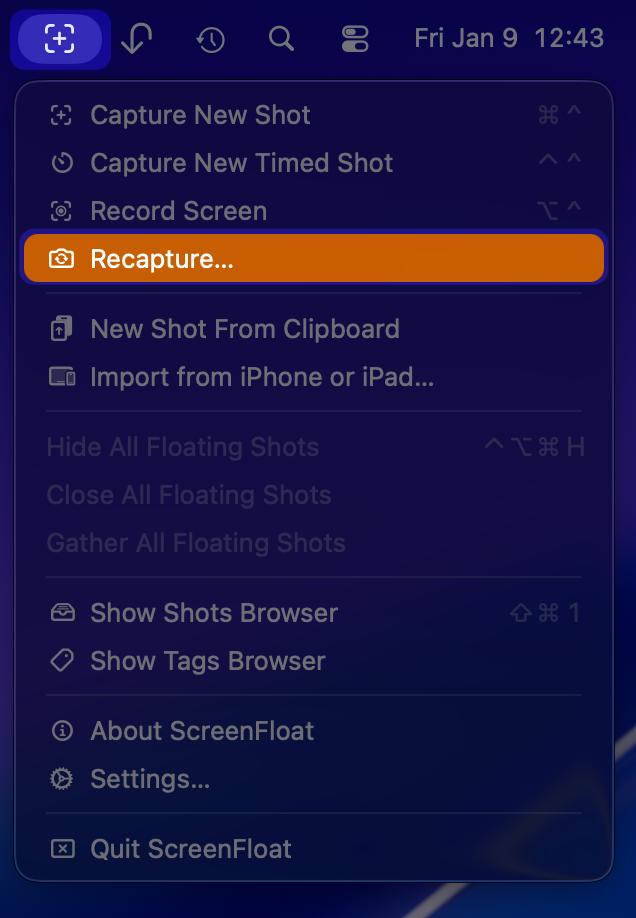
- You can now recapture the previously captured area from ScreenFloat's menu bar item (in addition to press-and-holding the keyboard shortcut) ( 🖼 )

Fixed
Bug Fixes
- Fixes a rare crash that could occur when closing the Tags Browser
- Changed the title of the floating shot's contextual menu item “Edit Info…” to “Edit Title, Tags, Notes…” to make its functionality more obvious
- Fixes a bug causing ScreenFloat's Share extension to not work correctly
- Fixes a bug where, under rare circumstances, an image could not be annotated
- Fixes a bug where tipping wouldn't work on older versions of macOS
- Fixed a bug where the on-the-fly drag-out popover sometimes didn't respect the selected export settings for recordings
- The option to copy image data instead of image file paths has been made more accessible (from floating shots, the Shots Browser, and double-click actions) ( 🎬 )